
Every PDF job, in one place.
Merge, split, reorder, compress, redact for real, images to PDF, PDF to images and searchable scans.

Lease.pdf 4.2 MB to 880 KB
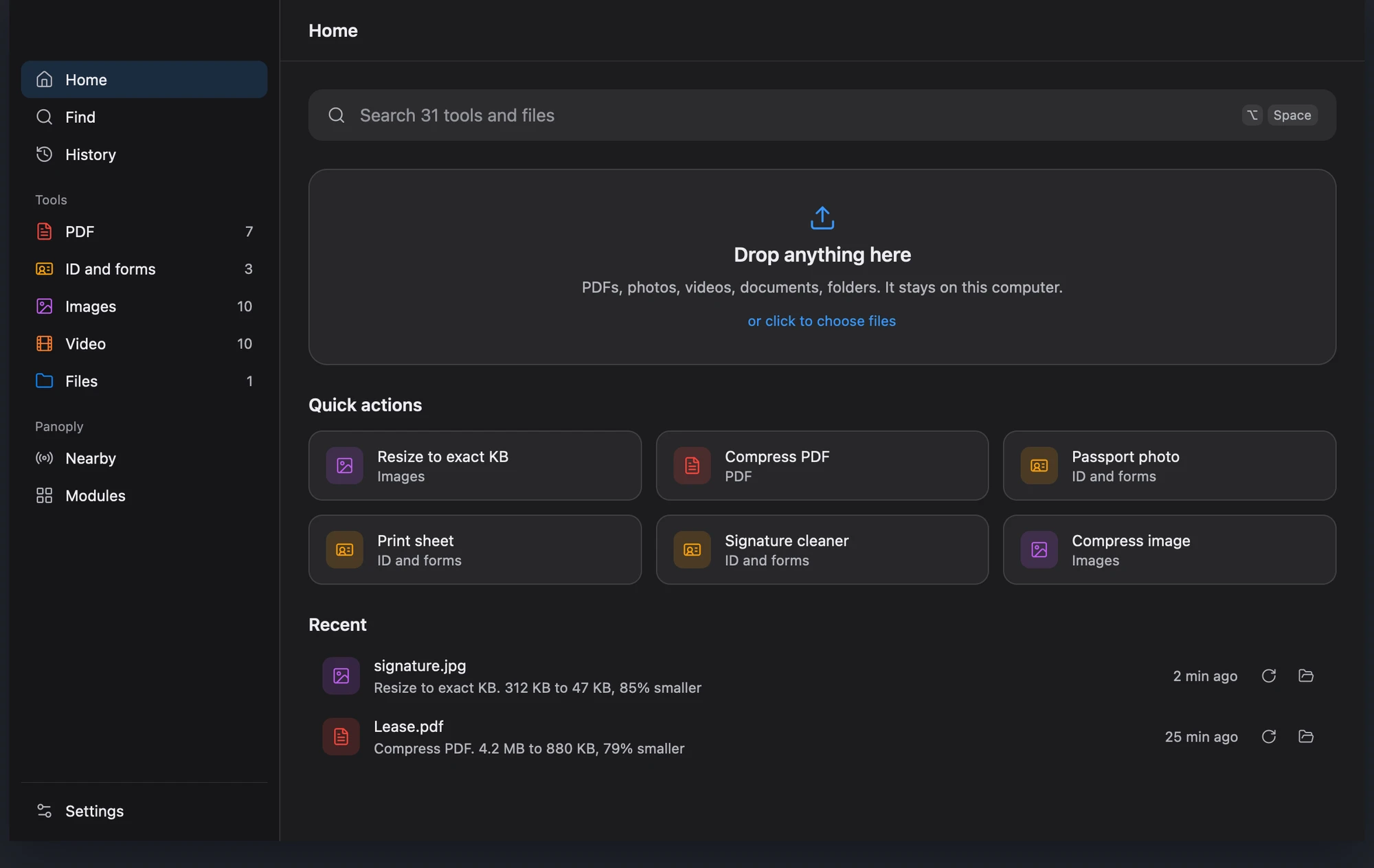
Compress, convert, resize, redact, trim and share any file.
Free, open source, on your computer.
 Panoply Everything runs on this computerRun ↵
You compress a PDF on one website, resize a photo on another and trim a video on a third, uploading your files to every one of them. Panoply puts all of those tools in one app, on your own computer.
The bar opens over whatever you are doing. On Windows and Linux it is Ctrl Alt Space.
Plain words work: under 50 kb, make it a PDF, split every 10 pages. Panoply picks the tool and fills in the options.
The result is saved beside your file. One keystroke undoes it, and nothing ever left your computer.
All of them in one place, and new ones every week.
Merge, split, reorder, compress, redact for real, images to PDF, PDF to images and searchable scans.
Convert, compress, resize to the KB, remove backgrounds, erase objects, upscale 4x and passport photos.

Trim, convert, fit an upload limit, remove noise, even out loudness, extract audio and read aloud.

Zip and unzip, copy text from a picture, clean up a signature, make print sheets, and do math right in the bar.

Over your own Wi-Fi. No cable, no cloud, no account.

Anyone can build a new tool. Each one runs sandboxed and offline.
39 tools today. New ones every week.
See every toolEvery tool sorted by kind, quick actions, and your recent jobs.
to shrink a 300 MB PDF to 137 MB, using 11 MB of memory.
to trim a 4.6 GB, 73 minute video at keyframes.
character error reading English text from a scan.
Scans, IDs and voice notes stay with you.
Turn the Wi-Fi off. It still works.

Panoply speaks MCP. Claude, Cursor and any agent can use every tool on your files, on your computer.
claude mcp add panoply -- panoply mcp
Free and open source. macOS, Windows and Linux.
Prefer the terminal? Homebrew, Scoop and AppImage steps are in the install guide.